
Global Search Redesign
Global Search Redesign
Defining the North Star vision for high-velocity navigation in CATAPA payroll platform.
Project Type
Interaction Design
Role
UI/UX Designer
Year
2025
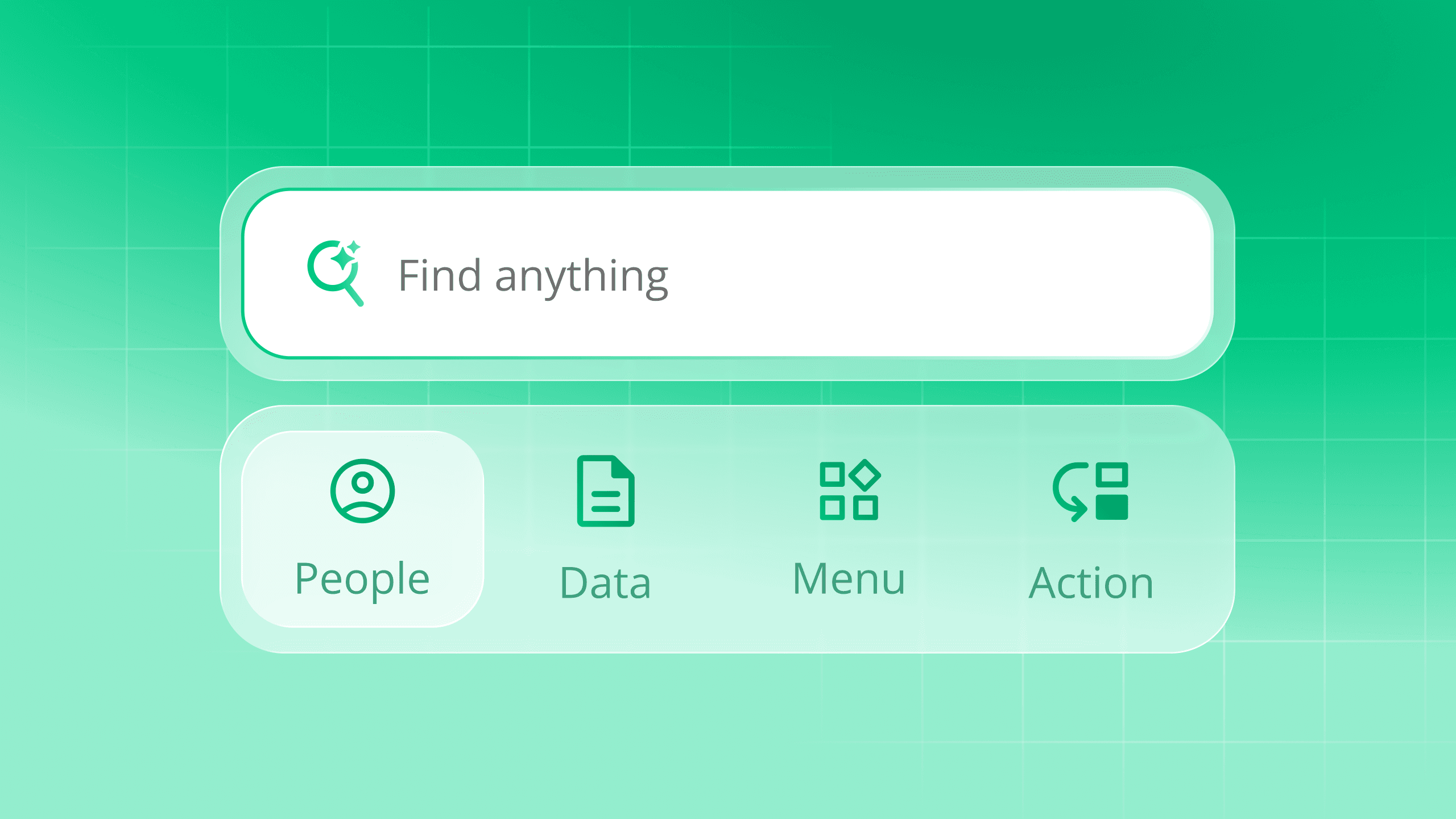
[Important Notice] This project represents a conceptual "North Star" vision designed to guide the long-term engineering roadmap. While parts of this system are currently in development, all data shown here has been obfuscated for confidentiality.
At a Glance
The global search feature on CATAPA was functionally limited to a "Menu Finder," forcing users to memorize complex navigation paths to complete simple tasks. I led a competitive analysis and redesign initiative to transform search into an intelligent "Command Center," reducing cognitive load by enabling direct data access, natural language queries, and actionable workflows.
The Challenge
The legacy navigation was fragmented, forcing users to click through 4+ layers of menus to find employee data.
The Vision
To replace passive search menu navigation with an active command center experience, unifying People, Actions, and Data into a single modal.
The Outcome
Secured executive buy-in for the H1 2026 Roadmap. Established the interaction patterns for the company’s future global search AI integration.
The Problem
As our platform scaled, our navigation struggled to keep up. Users were reporting friction in performing high-frequency tasks.
Fragmentation
The "Menu Finder" Trap: Search results only provided navigation links, not the actual people or data users were looking for
Cognitive Burden: To approve subordinates leave, a manager had to know exactly where that feature lived, navigate there, and manually filter the list
Business Impact: This lack of discoverability led to increased support loads as users assumed features didn't exist
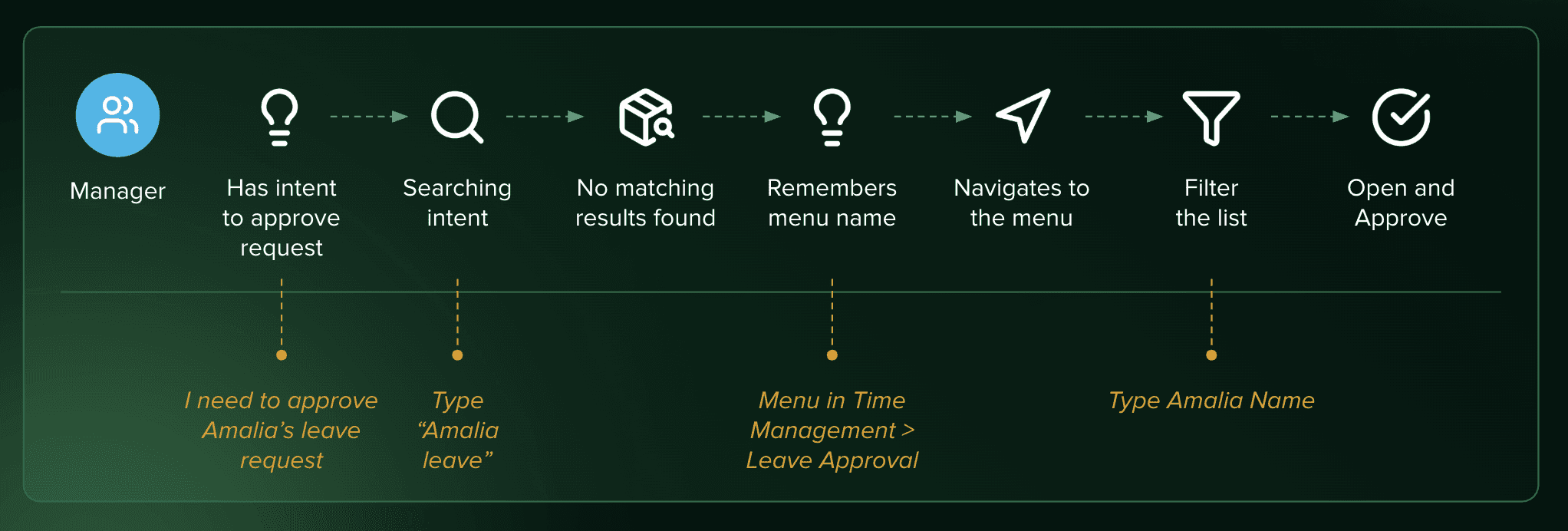
The current user’s search journey example (managers POV)
Strategic Analysis
Because this is an Enterprise tool, a "pretty UI" wasn't enough. The search logic had to handle complex permissions and data types. I mapped the system logic before opening Figma.
Query Taxonomy
I structured the search to parse three distinct intents:
Navigational: "Go to Settings"
Transactional: "Add new employee"
Informational: "View John's salary"
The "Fallbacks" Logic
Designing for failure states (typos, no access) to ensure the system guides the user rather than hitting a dead end.
The Solution

The final design moves beyond a search bar, it is an operating system for the HRIS
The "Find Anything" Interface
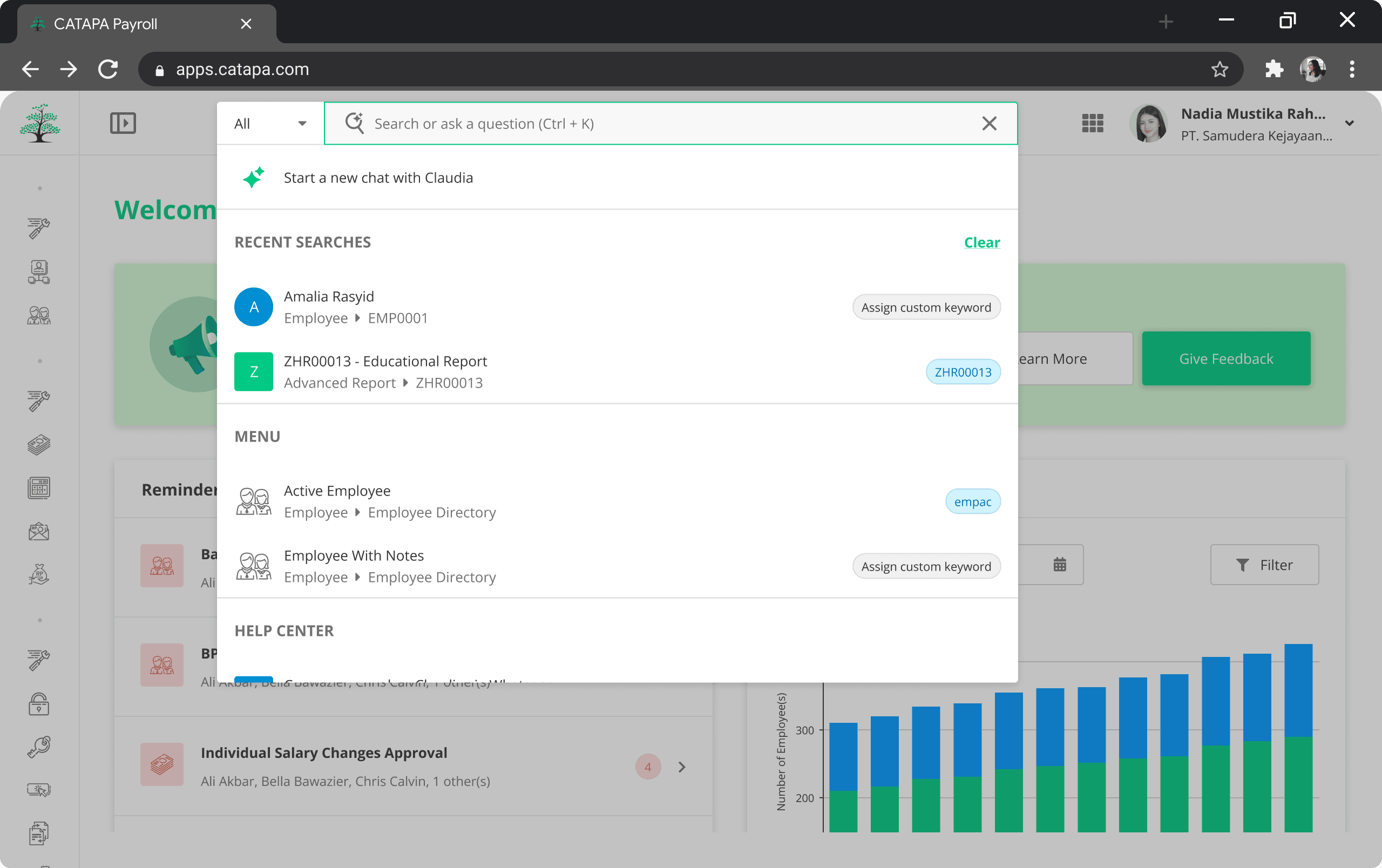
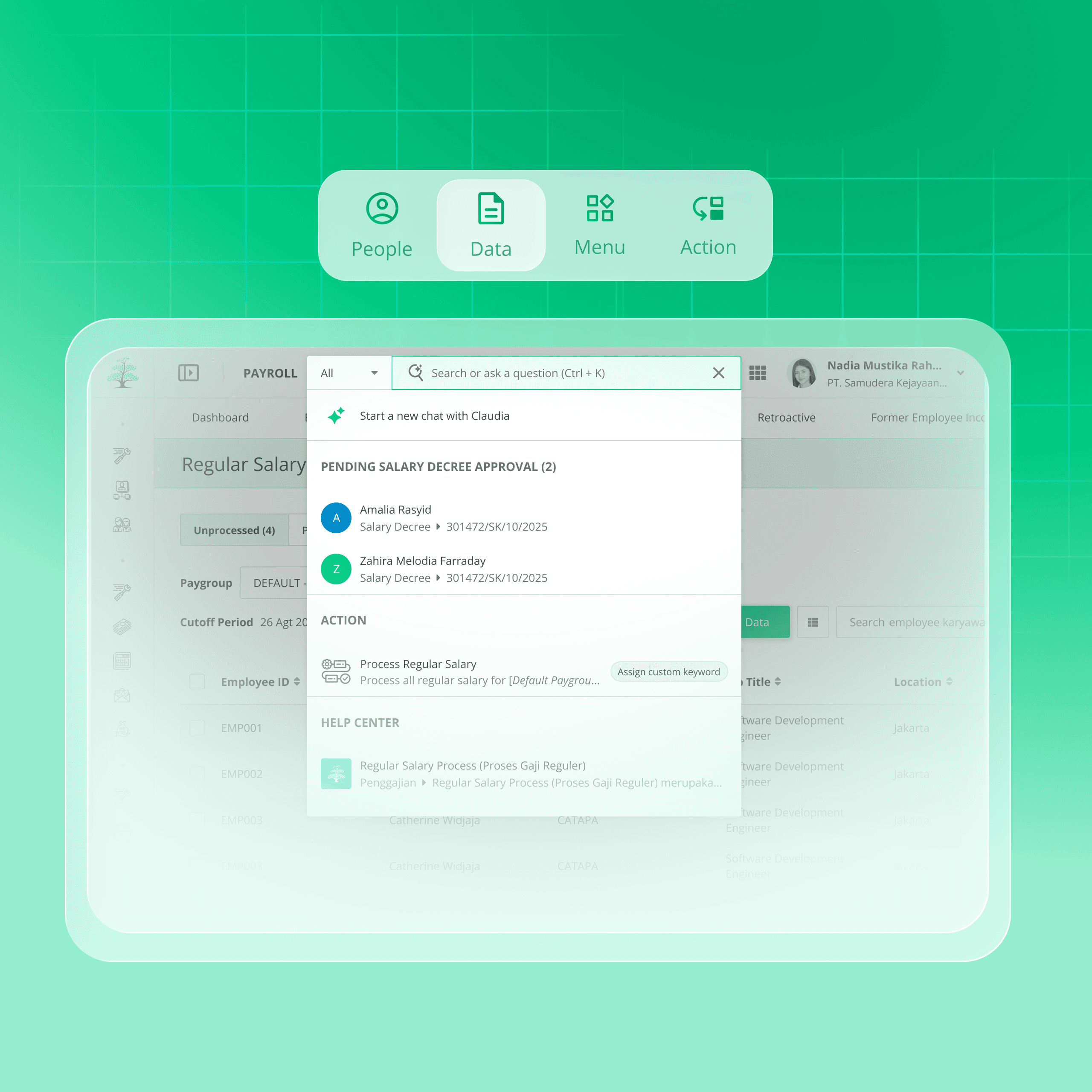
We moved away from a text-only list to a categorized dropdown. The new search unifies Suggestions, Menus, People, Actions, and Help Center into a single view.
Visual Hierarchy: Distinct icons allow users to instantly distinguish between a Navigation Link and an Employee Profile.
Smart Suggestions: The system predicts the user's destination before
Action-First Workflows
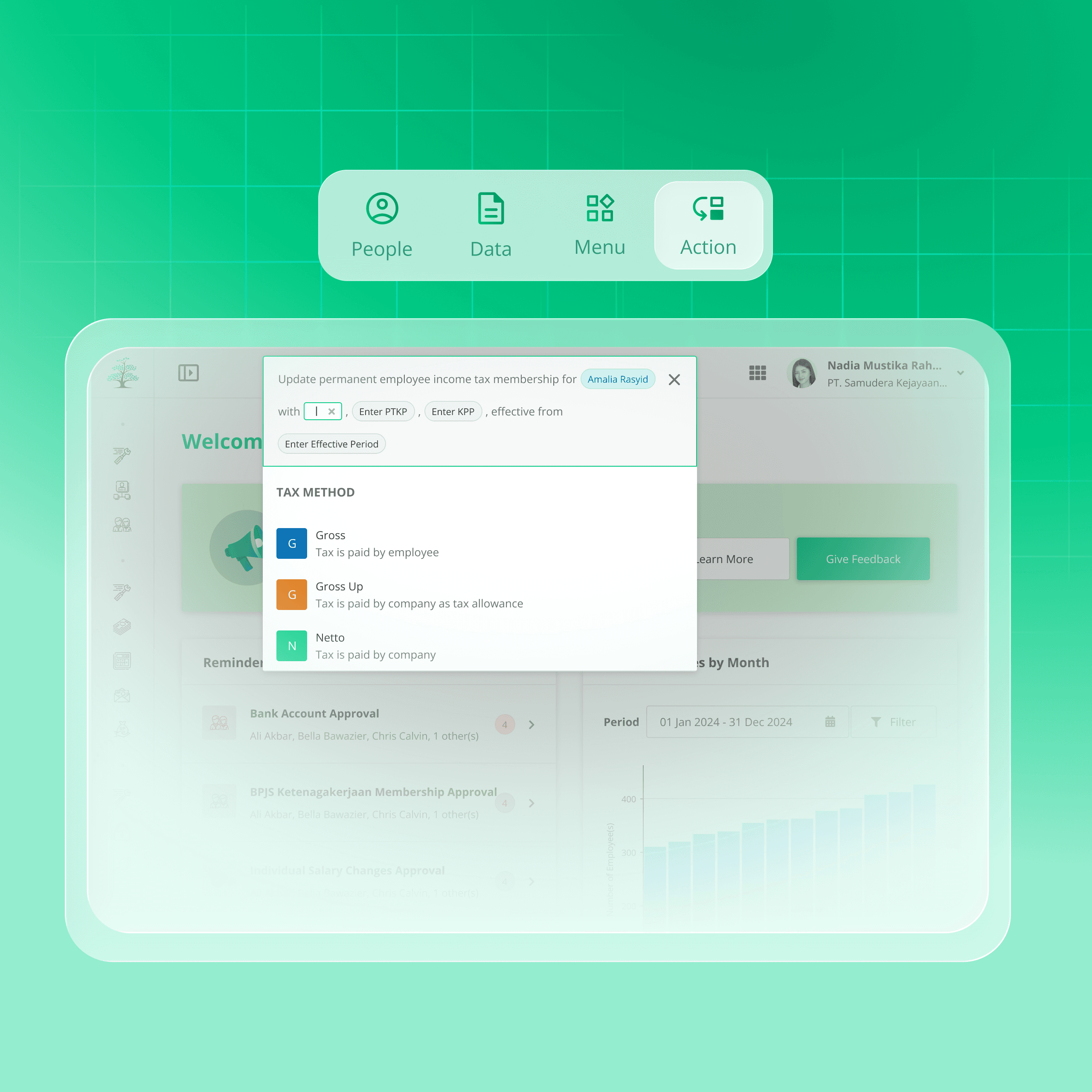
Instead of sending users to a landing page, the search bar now acts as a command line.
Inline Actions: Typing "Tax Method" opens an inline form to update tax details immediately, without leaving the current screen
Reduced Steps: This compresses a 5-step journey (Search > Navigate > Filter > Select > Action) down to 2 steps (Search > Action)
Contextual Intelligence
We designed the system to be "location-aware."
Contextual Results: If a user is on the "Payroll" page, searching for "Reports" prioritizes payroll-related documents over general HR reports
Zero-State Guidance: When the search field is empty, the system suggests actions relevant to the user's role (e.g., "Approve pending requests" for Managers)
Strategic Impact & Roadmap
While full implementation is complex, this design served as the strategic anchor for the product team.
Executive Buy-In
The "North Star" prototype was used to align C-Suite stakeholders on the future direction of the UX.
Engineering Feasibility
I worked with backend architects to validate that the "Action" results could be supported by our existing API endpoints.
Phased Rollout
To manage technical debt, we broke the vision into three releases:
Phase 1: Global People Search (In Development)
Phase 2: Navigation & Actions (Roadmap)
Phase 3: AI/Natural Language Querying (Vision)